Guide the Flow
Guides are lines and loops you draw on the mesh. The remesh puts edge loops along them, so the flow goes where you want: round the eyes and mouth, along the jaw, round a wrist.
| Your guides | The result |
|---|---|
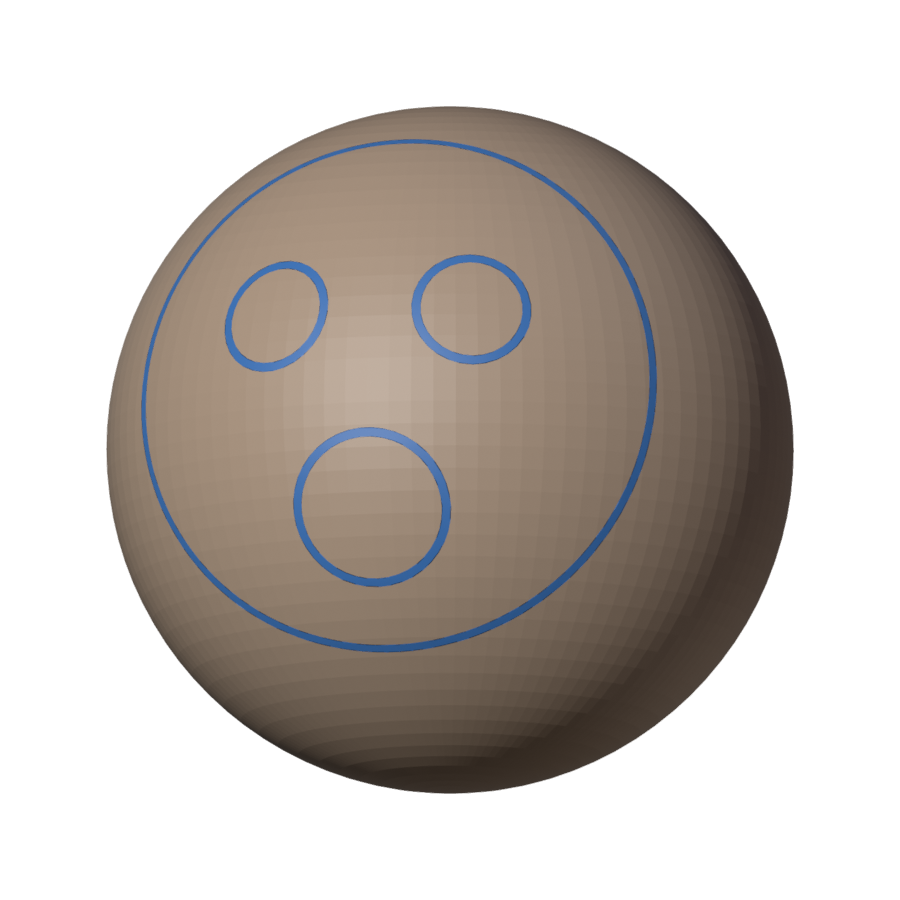 |
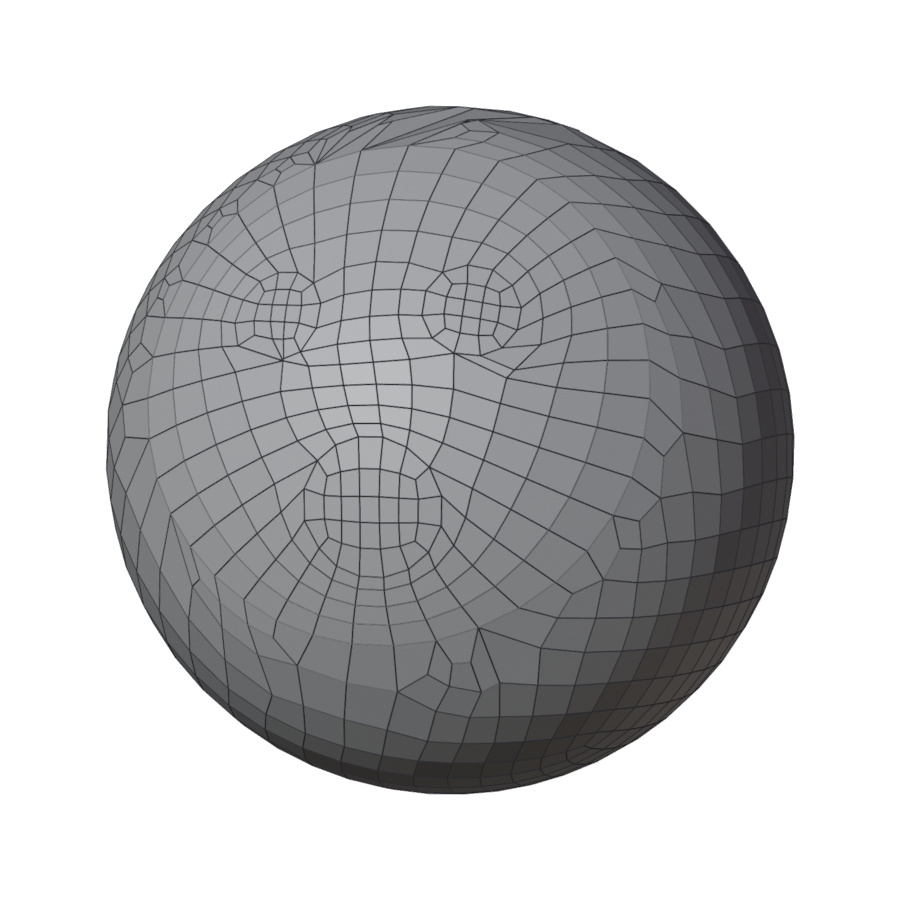 |
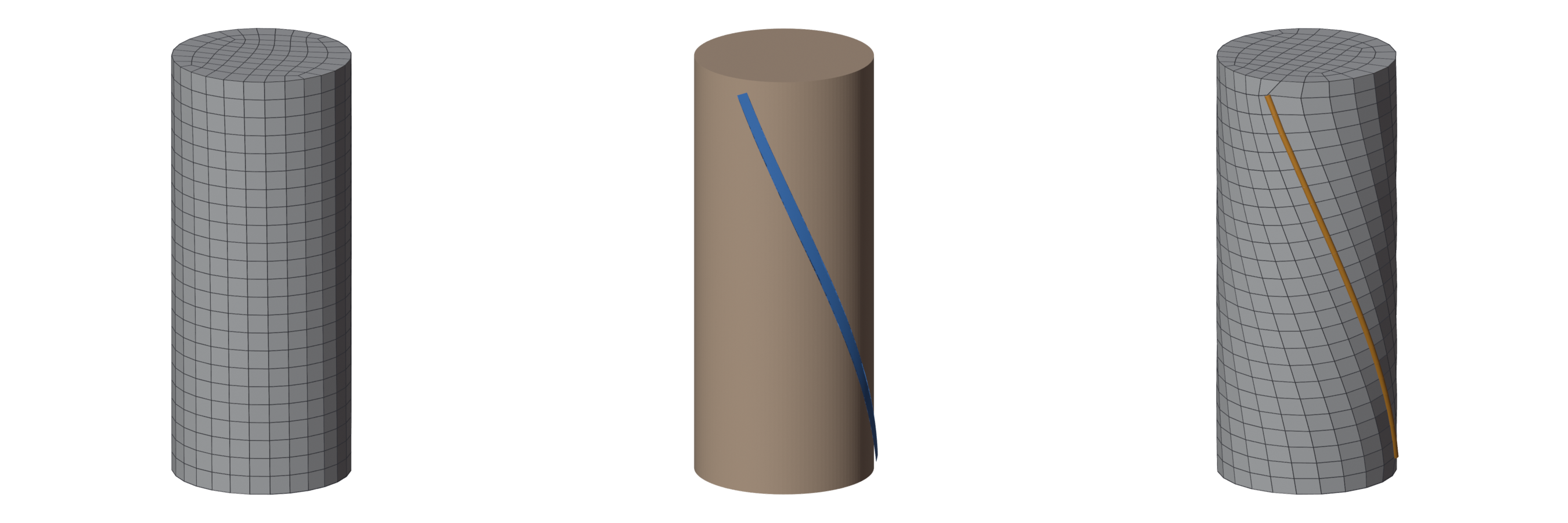
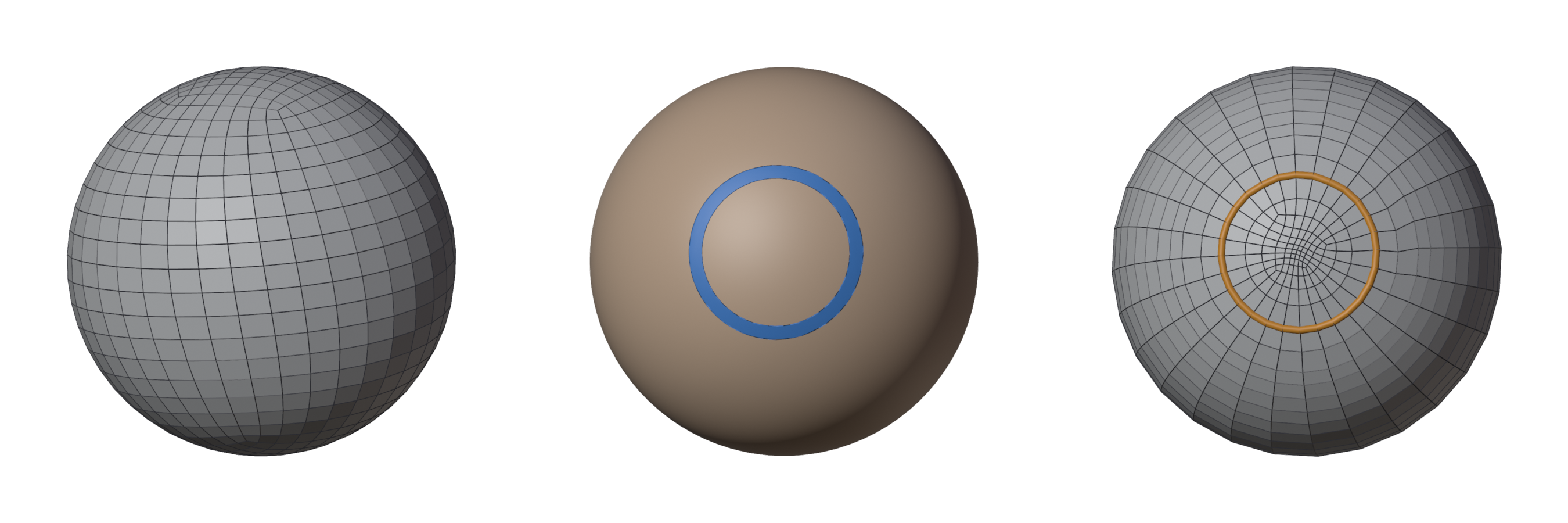
What one guide does on a simple shape (left: without it; middle: the guide; right: the result, its edges along the guide in orange). A walk-through on a face: Your first guided remesh.
Draw / Stop Drawing
Starts the guide tools: draw freehand, click out a line point by point, drag a circle, or cut a ring round a limb. The keys and every tool are on Drawing guides. Stop Drawing (or Esc) goes back to Blender's Select tool.
Mirror X
The mirror icon next to Draw. Draw on one side, get the other: a guide on one side gets a mirror copy that follows every change, and a guide across the centre (a face loop, a line down the nose) is kept symmetric. Turning it on also turns on Symmetry for the remesh. The mirror is the mesh's own X axis.
Clear
The trash icon: deletes every guide of this mesh.
Guides from Selected Mesh
Start from what you already have: a rough retopo, a cage from an older version, a wireframe. Select it, then Shift-click the mesh to remesh so that it is active, and press Guides from Selected Mesh. Its edges become guides on the surface and Fill Between turns on, so the new quads follow your cage's faces at the density you set.
Fill Between
How the remesh uses your guides. On by default.
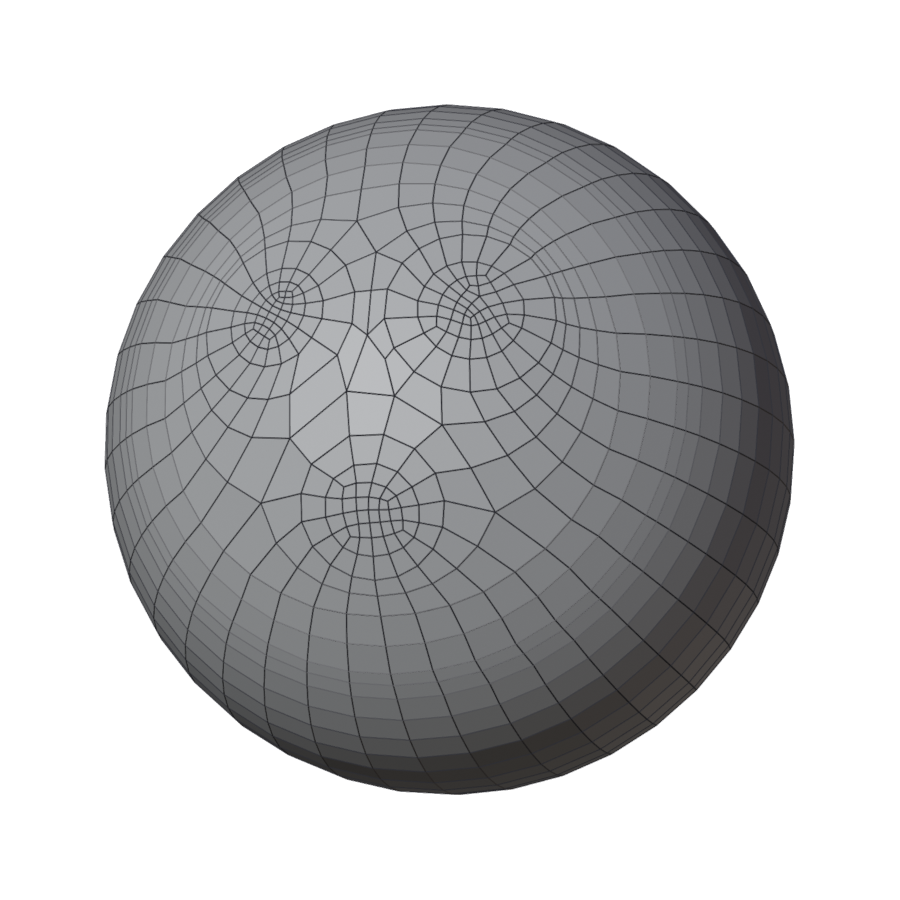
- On: the guides are the borders of patches. They become edges, and each region between them is filled with its own patch of quads. Best for a layout you draw fully: a face with its loops, a cage. While you draw, the overlay shows what each region fills as and sketches its rows, and the panel lists what keeps it from filling as drawn, with a button to fix each. The whole workflow: Drawing a patch network.
- Off: the guides steer the flow everywhere, and edges follow them closely, but the regions are not filled one by one. Best for a few lines on a big mesh, as in Your first guided remesh.
| Off | On |
|---|---|
 |
|
When Fill Between cannot make good patches from your drawing, you still get a clean mesh, steered by your guides, and the result says "your patches were not used", with the places marked red: see Remesh and read the result.
Notes
After a remesh with guides, the Notes section (at the bottom of the panel) lists what the engine had to do with your drawing in plain words: a line it added to close a region, a region too big for its outline. The magnifier turns the view to each. Where the engine added a line, Keep This Line draws it as one of your guides.
Protect Selected Loops
Like a loop of a result (round an eye, a wrist) and want to keep it when you remesh again? Select it in Edit Mode on the result (Alt click) and press Protect Selected Loops: it becomes a guide on the original with a corner at each of its vertices, and the next remesh keeps them where they are.