Your first guided remesh
A remesh without guides gives you clean quads. A remesh with guides gives you a layout: loops round the eyes and mouth, rings round the ears and neck, lines along the cheek folds and the jaw, exactly where you drew them. This page builds a full face layout in four steps, about ten minutes of drawing.
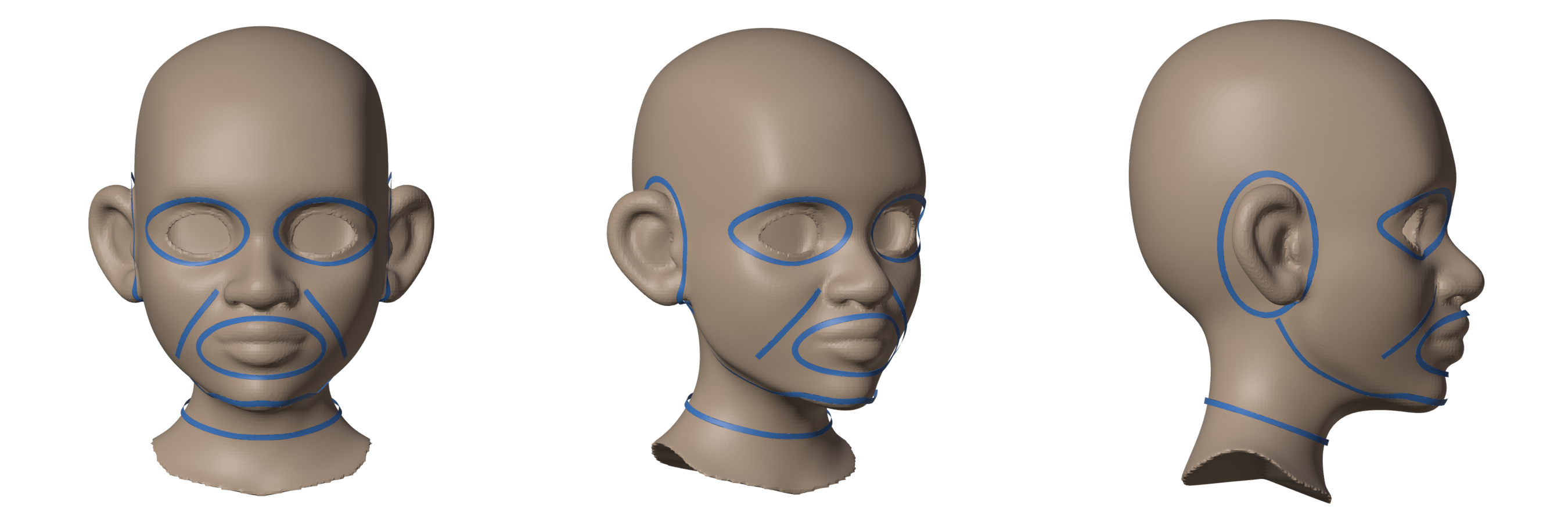
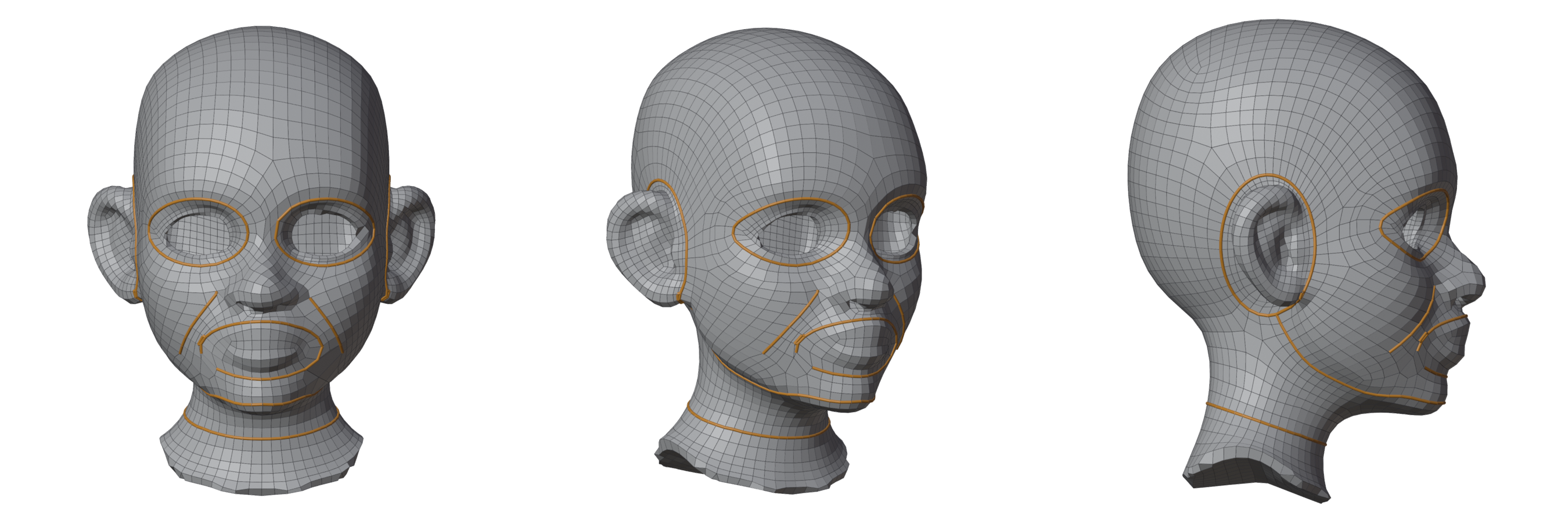
Nine guides, one press of Remesh: 4212 quads, clean, in about 20 seconds. In the pictures your guides are blue on the original (clay); on the result (grey) the edges that came out along them are orange.
The model is the stylized head from Blender Studio's free Human Base Meshes (CC0). Any head works: your own sculpt, a scan, or the sample head (Add Sample Head in the panel).
1. Without guides
Select the head, set Style to Sculpt / Scan (this head is a sculpt) and Quads to 4000, and press Remesh.
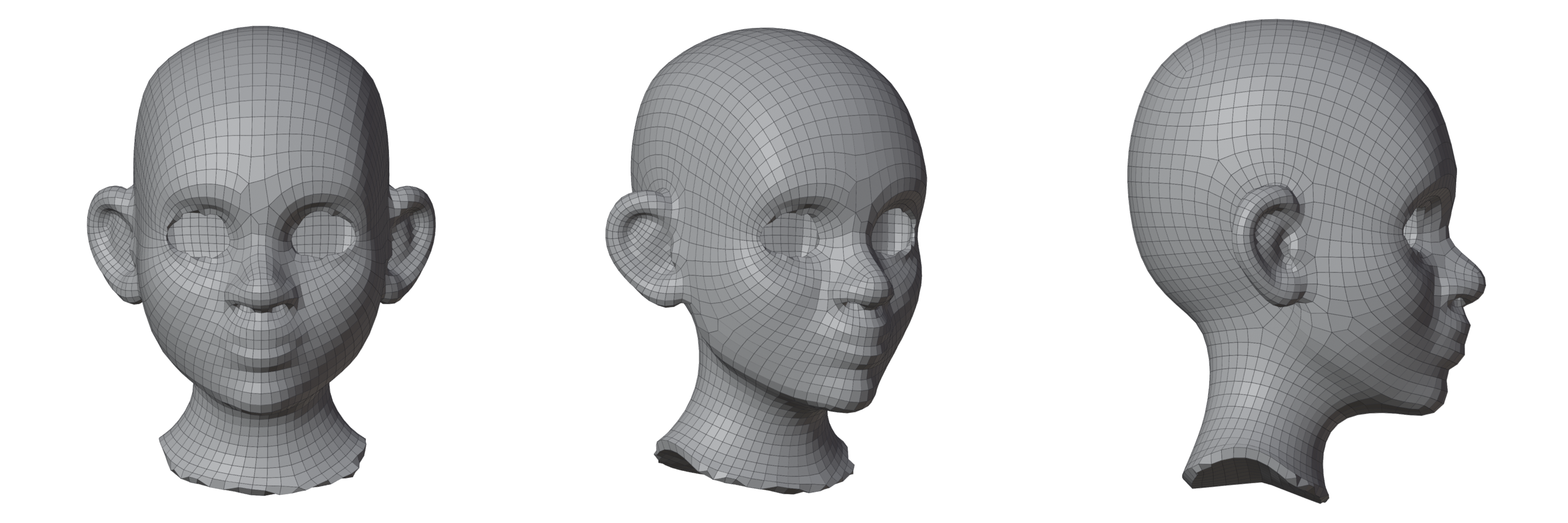
Clean, even quads that follow the form. But no loop goes round an eye or the mouth: the rows run straight across the face. That is fine for a statue; for a face that will be animated, or that you will sculpt further at a lower level, you want the loops of a face.
2. Loops: eyes and mouth
Press Show Original (Shift+Q) to bring back the original, and select it. In Guide the Flow, turn Fill Between off: in this walkthrough the guides steer the flow, and the remesh fills round them as it likes (Fill Between below is the other way). Turn on Mirror X (the mirror icon), so that you draw one side and get both, and press Draw.
- Eyes: press 3 for Circle and drag from the middle of the eye socket outwards, until the circle sits just outside the lids.
- Mouth: press 1 for Draw and drag a loop round the lips, between the nose and the chin. End where you started and it closes. It does not need to be neat: the guide is smoothed onto the surface.
Press Remesh.
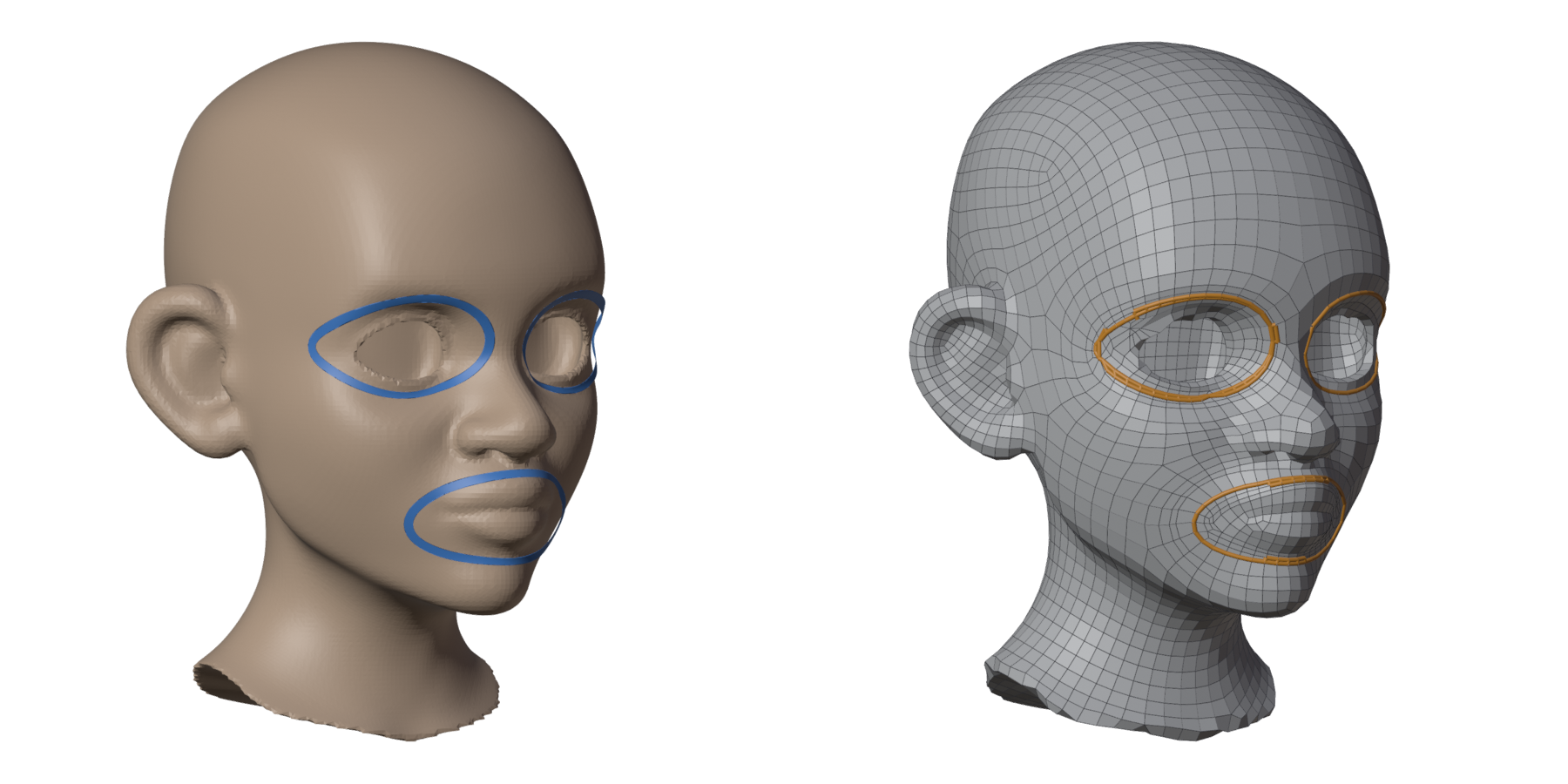
4011 quads, clean. Each loop became an edge loop, and the quads near it turn to follow it.
3. Rings: ears and neck
- Ears: with Draw, drag a loop round the root of the ear, on the head, not on the ear itself. Mirror X draws the other one.
- Neck: press 4 for Contour and drag a short stroke across the neck. You get the ring where your stroke cuts it, all the way round, the back included.
Press Remesh.
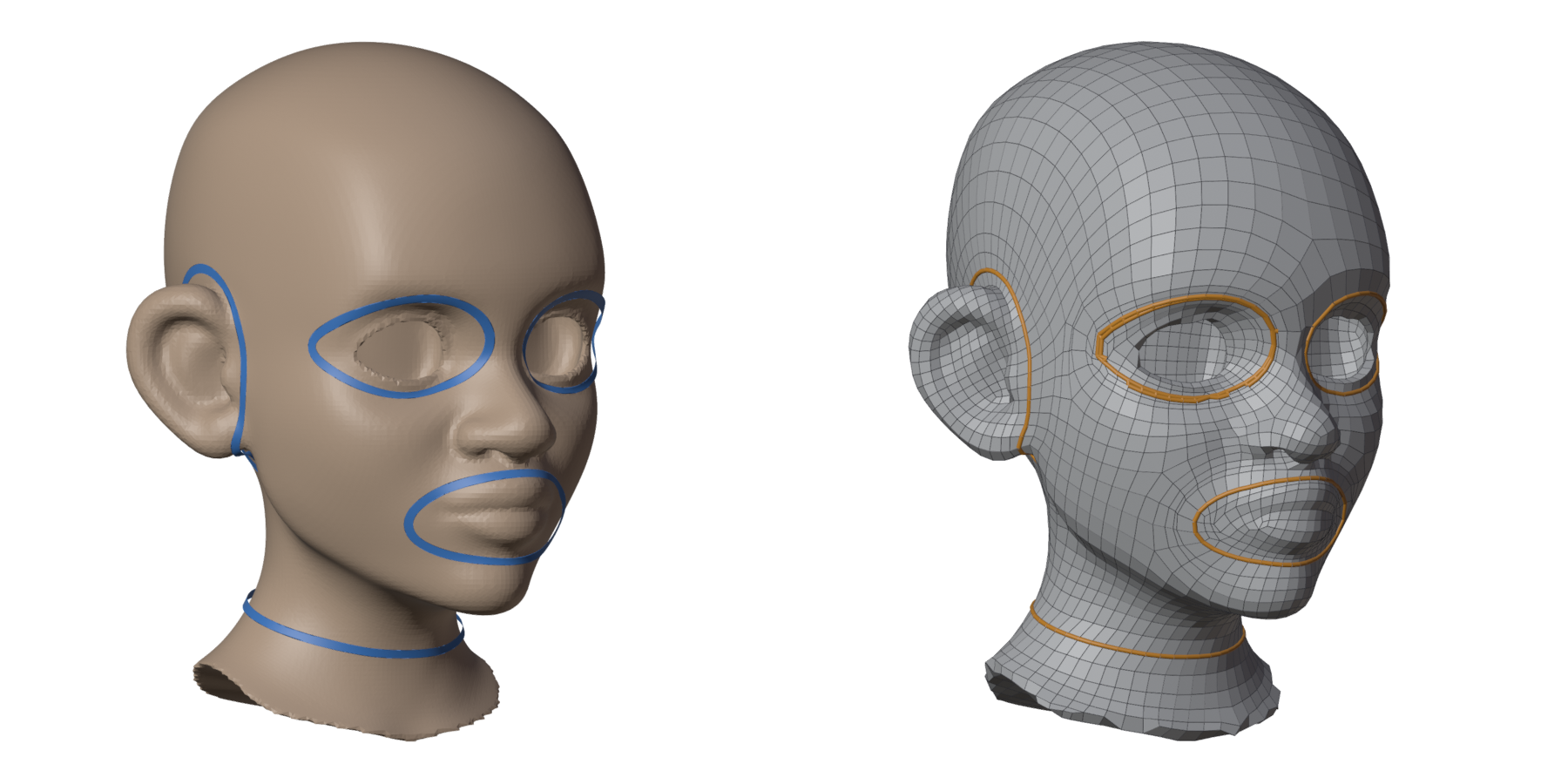
3990 quads, clean. The ear now sits in its own ring, which keeps its quads apart from the head's, and the neck gets a clean ring for the collar or a cut.
4. Lines: cheeks and jaw
Lines do not have to close. With Draw, drag:
- Cheek folds: from the side of the nose down past the corner of the mouth.
- Jaw: from below the ear along the jaw, under the chin, and up to the other ear.
Press Remesh. That is the layout at the top of this page.
The difference on the face, without guides (left) and with the nine guides (right):
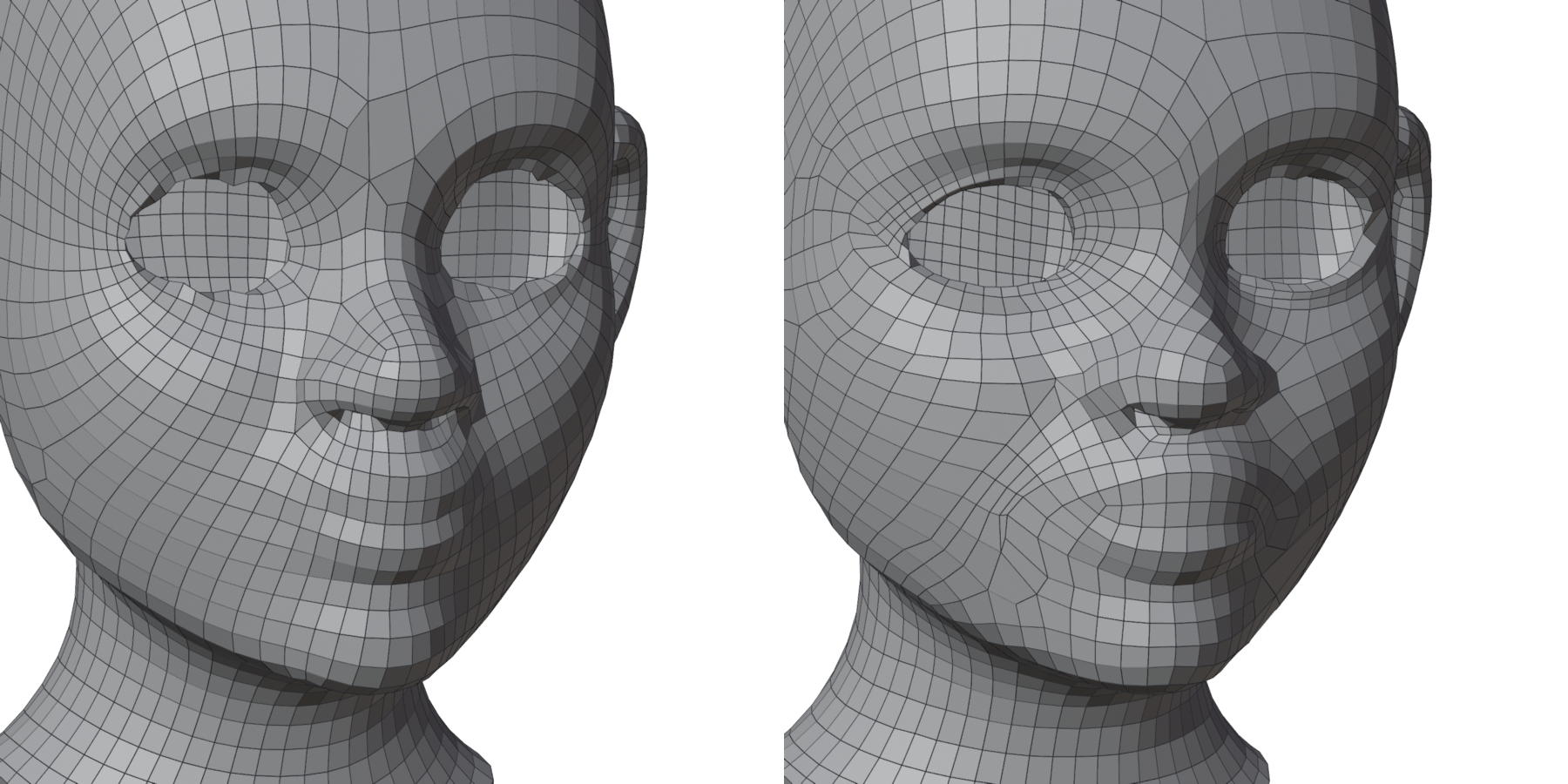
The loops wrap the eyes and the mouth, and the cheek folds run from the nose to the chin, where an artist would put them by hand.
Not happy with one line?
Move it with Tweak (6), smooth it with Relax (5), or select its points and delete them, then Remesh again. The other guides stay.
What one guide does
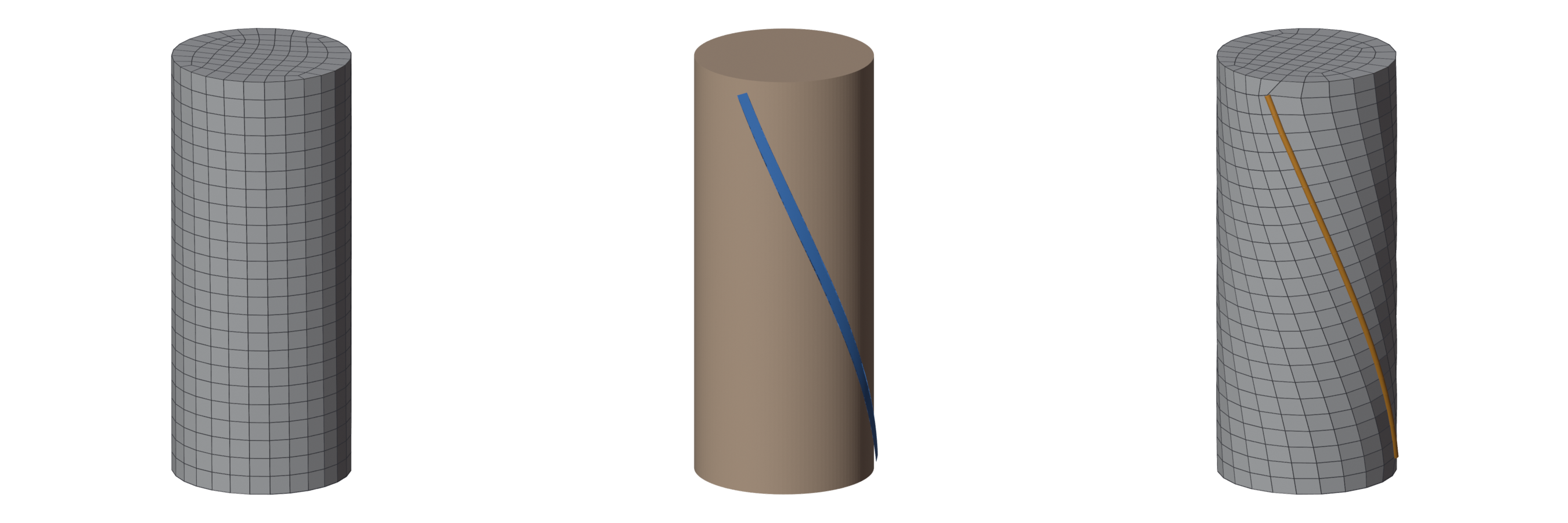
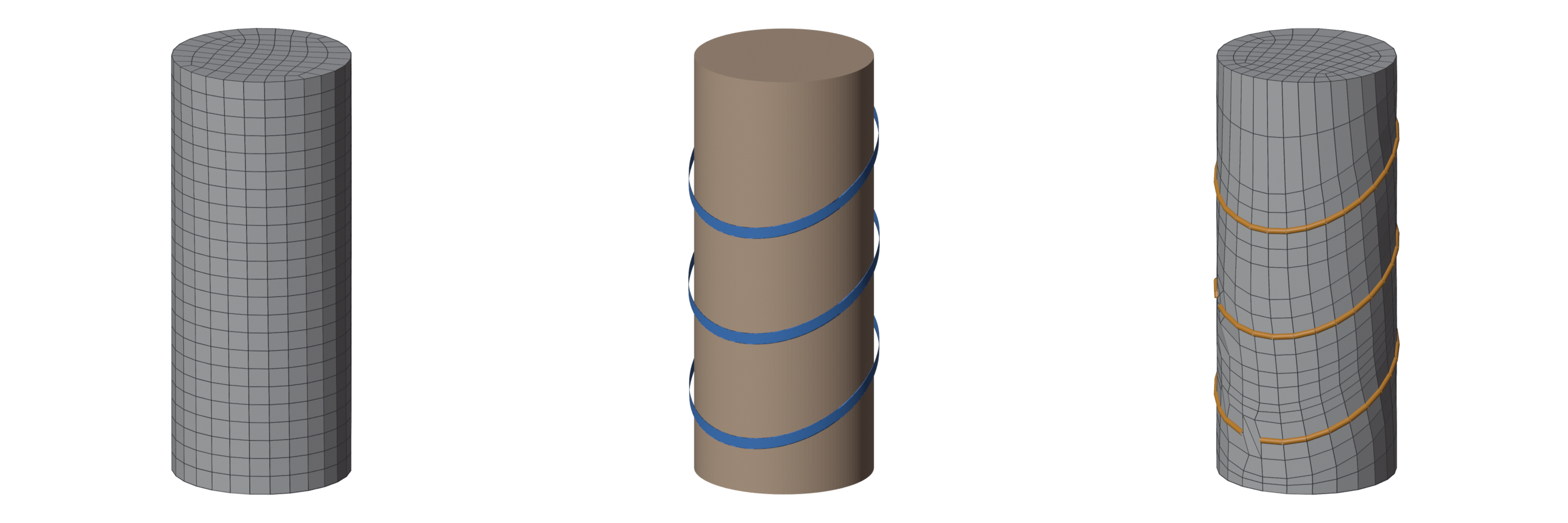
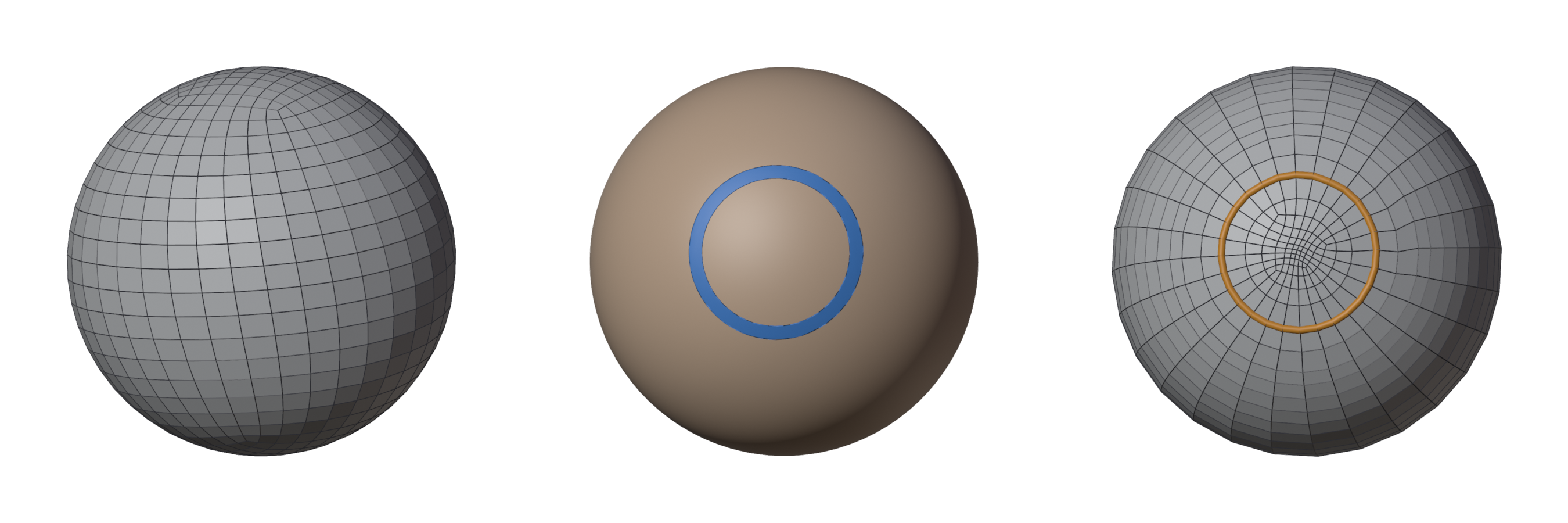
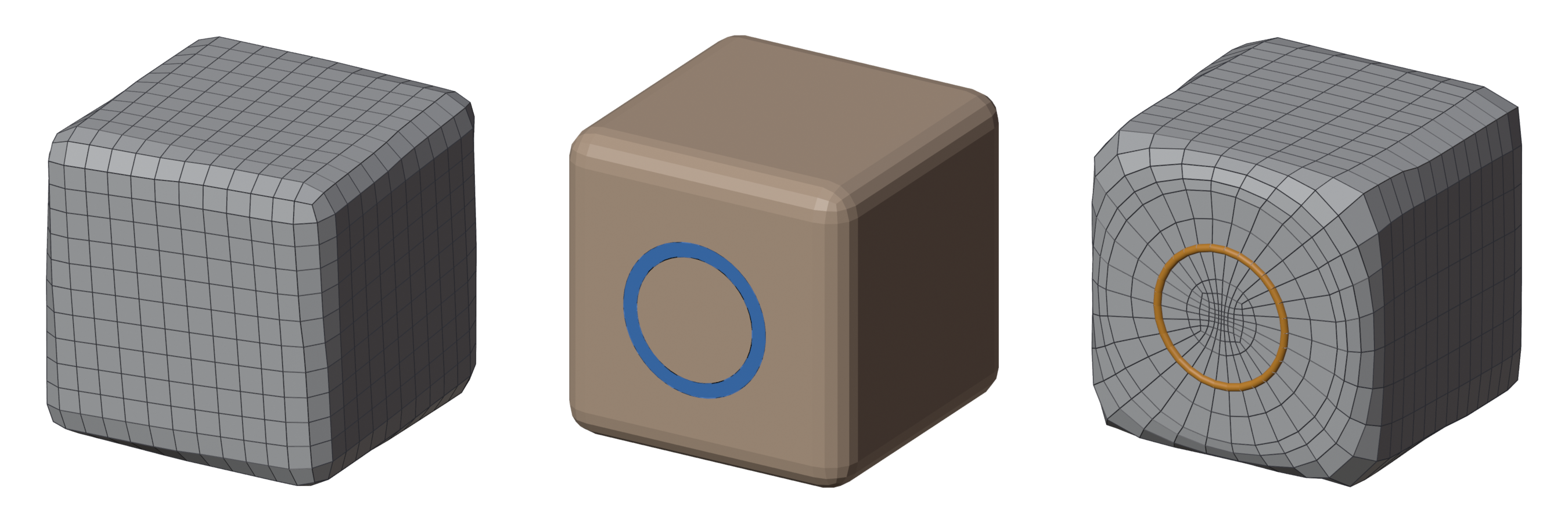
Three simple shapes, each with one guide. Left: the remesh without it. Middle: the guide. Right: the remesh with it.
A line round a tube (Draw or Line, 2). The rings of the tube turn to follow it: the whole flow becomes a spiral.
Rings across a tube (Contour, 4). Rings tilted the way you cut them, like the loops round a wrist or an ankle.
A circle on a ball (Circle, 3). The quads ring round it, like round an eye.
A circle on a flat side (Circle, Hard Surface). A round loop on a box: a button, a port, a place for a bevelled hole later.
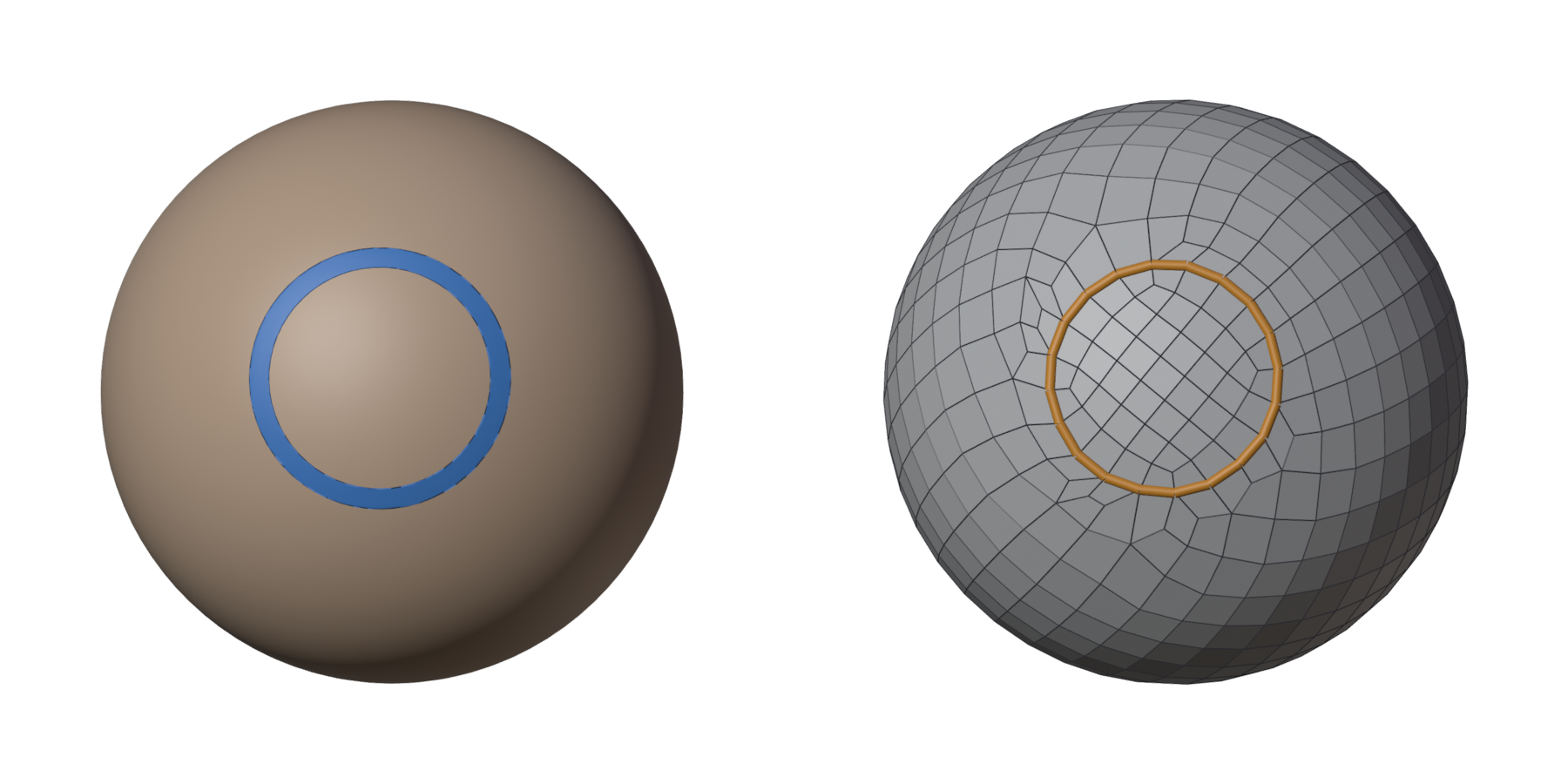
Fill Between
Here Fill Between was off: the guides steered the flow, and the remesh chose the quads between them. With Fill Between on (its default), each region inside your guides gets its own patch of quads instead. Inside the circle on the ball: a grid.
Turn it on when you draw the borders of the patches yourself, lines that meet at corners. While you draw, the overlay colours each region by the patch it makes, sketches its rows, and the panel lists what to fix, so you see the layout before you remesh. See Drawing a patch network.
Next
- Patches you draw yourself, with the edges along each line: Drawing a patch network.
- Every drawing tool and its keys: Drawing guides.
- Like a loop of the result? Keep it for the next remesh with Protect Selected Loops.
- Start from an older retopo instead of drawing: Guides from Selected Mesh.