Edit Mode tools
In Edit Mode the panel shows tools that work on a selection.
Remesh Selected Faces
Select the faces of one area (a nose that came out wrong, a pole in the wrong place) and press it. Only those faces are replaced; everything around keeps its exact vertices, and the new quads join the border with quads (3-to-1 steps where the counts differ, no triangles). Ctrl+Z undoes it.
Seam Density next to it: quad size inside the selection against the edges along its border. 1 keeps them the same; 2 makes the inside twice as dense, joined with 3-to-1 steps.
Guides over the selection are kept: a vertex loop keeps its exact count, a drawn line is followed through the middle of the area.
Fill Hole
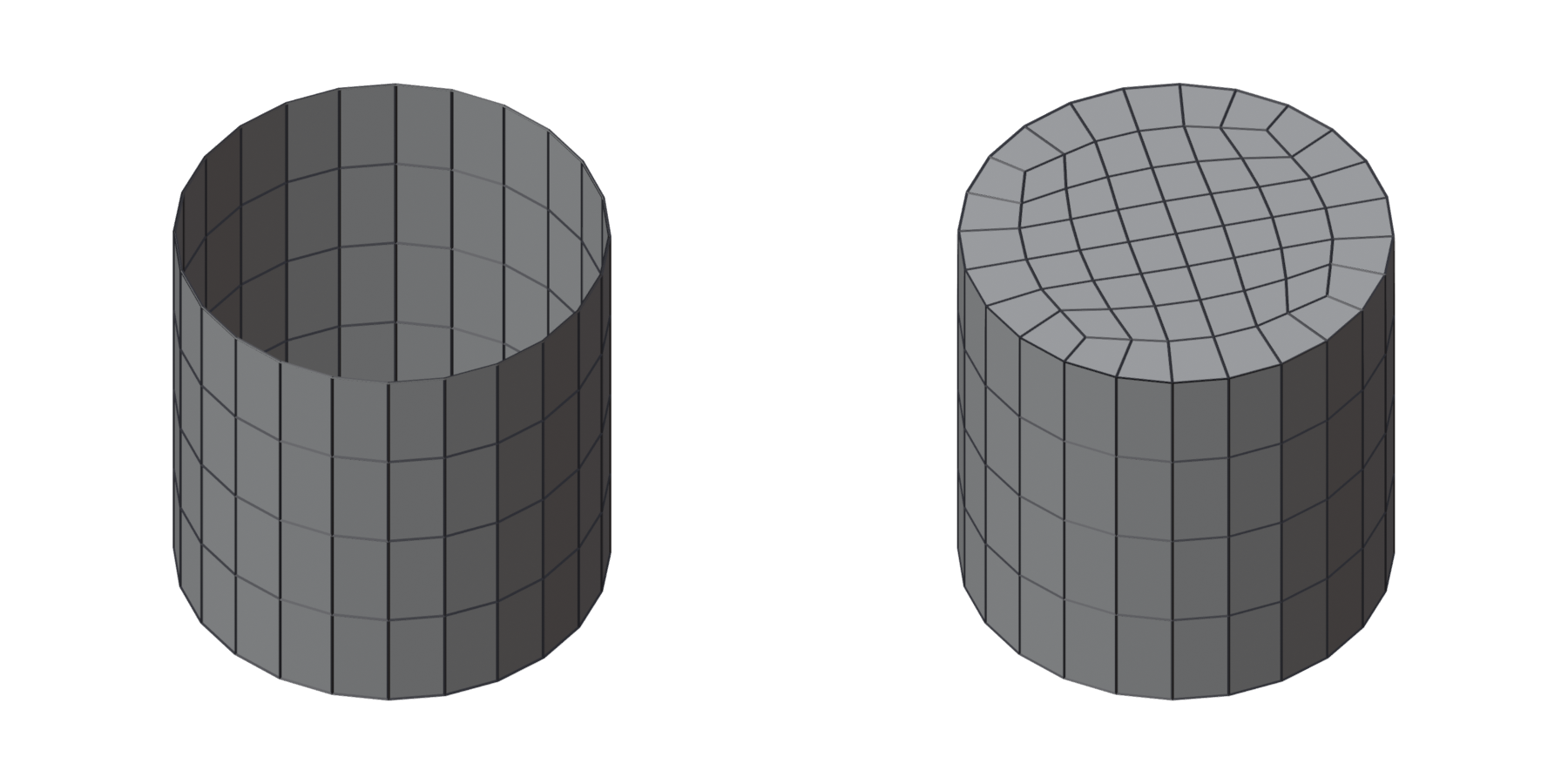
Select one edge of a hole (or its whole border) and press it. A round hole (a tube's end) gets a circle in a square: one row round the rim, a grid inside, the poles inside the cap and none on the rim. Holes with corners get a grid fitted to their sides. An odd number of border edges cannot be filled with quads: the tool says so.
Bridge Loops
Select two edge loops (or two open chains) and press it. A band of quads joins them; when their edge counts differ it steps down with the usual reductions (3 to 1, 4 to 2, 5 to 3), spread over the rows. Rows in the redo panel sets how many rows (0: as many as the gap is long). With Steps at the 3D Cursor, the steps gather where the cursor is, so the poles sit between the fingers or under the arm.
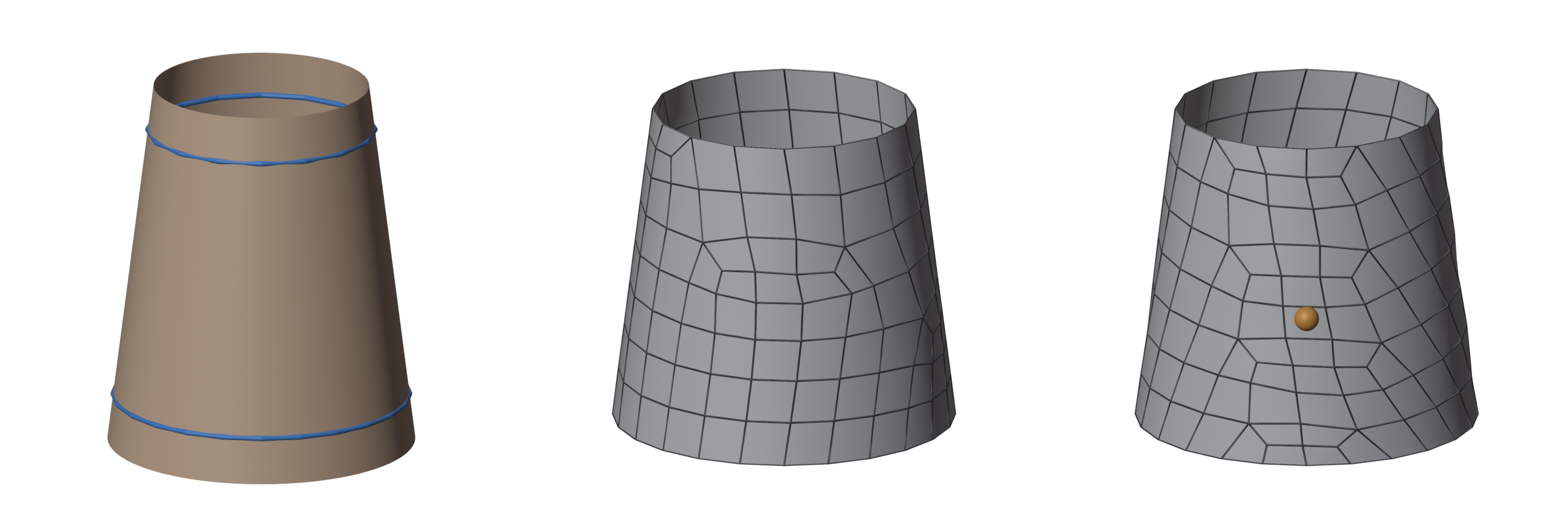
Two closed loops whose counts differ by an odd number cannot be joined with quads: add or dissolve one edge first.
New vertices go onto the surface your retopo sits on: its Shrinkwrap target, or the high-poly selected with it.
Fill the Rest
Modelled the face by hand and want the back of the head done for you? On your partial retopo, Fill the Rest remeshes the part of the high-poly your mesh does not cover yet, with the current settings, and joins it to your mesh's open borders with quads. Your faces stay exactly as they are. The high-poly is the retopo's Shrinkwrap target.
Guide from Edges / Hard Edge
On the mesh to remesh: the selected edges (an edge loop round a wrist, the rim of an eye) become a guide on the surface.
Hard Edge does the same and marks the guide hard: the result's edges along it come marked sharp and creased, which a Subdivision Surface keeps sharp. Also for a line where the surface does not bend, such as a panel line.
Protect Selected Loops
On a result: the selected edge loops are kept in the next remesh, each with its vertices where they are now. See Guide the Flow.